

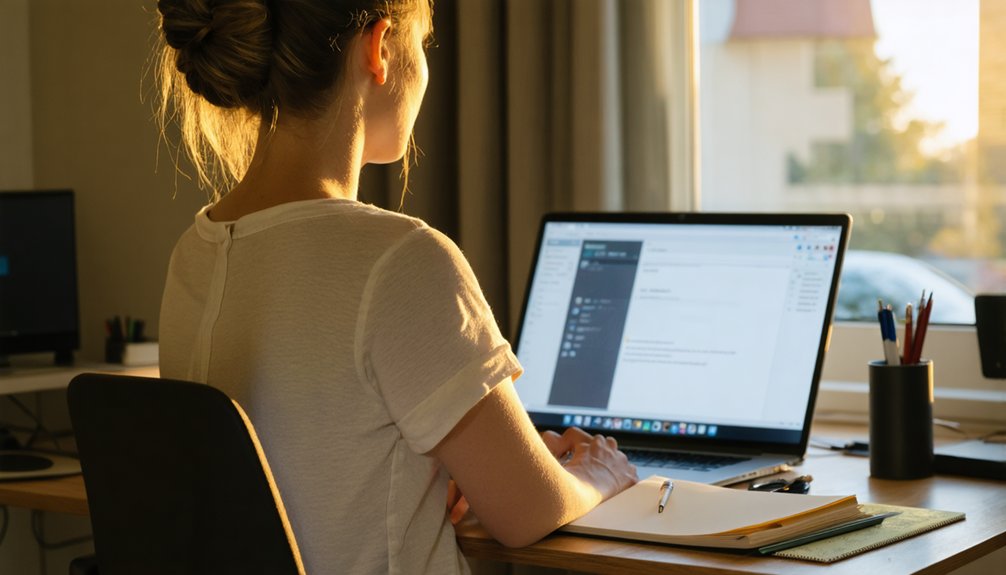

Maintaining Good Posture While Working from Home
Working from home can have a significant impact on your posture. However, with a well-designed workspace, you can reduce the risk of back pain and neck strain. A dedicated workspace with a supportive chair and a properly positioned computer is essential. Adding ergonomic accessories can also make a big difference.
To improve your posture, it’s crucial to prioritize healthy work habits. Regular breaks to stretch and move around can help reduce the negative effects of sitting for long periods. Ergonomic chairs with adjustable height and lumbar support can help maintain the natural curve of your spine. Additionally, positioning your computer directly in front of you, at a distance of about 20-25 inches, can help reduce strain on your neck.
By making a few simple adjustments to your workspace, you can set yourself up for long-term success and a healthier work-from-home experience. Good posture is not just about comfort; it’s also essential for preventing long-term damage to your back and neck.
Highlights
Creating a Healthy Workspace
To promote good posture and reduce the risk of work-related injuries, it’s essential to set up a dedicated workspace with ergonomic furniture. This includes a chair with a sturdy backrest and lumbar support, as well as a monitor positioned at eye level, 20-25 inches away.
Organizing Your Workspace for Efficiency
Keeping frequently used items within reach can help reduce strain on your body and promote a clutter-free environment. This can be achieved by organizing your workspace in a way that makes sense for your specific needs.
Developing Healthy Work Habits
Taking regular breaks, stretching, and practicing mindful breathing exercises can help reduce stress and increase body awareness. This, in turn, can help you stay focused and productive throughout the day.
Incorporating Movement into Your Day
Incorporating short walks or simple stretches into your day can help boost energy levels, circulation, and overall well-being. This can be as simple as taking a short walk around the block or doing a few jumping jacks during your lunch break.
Quote: “A healthy workspace is not just about the physical environment, but also about creating habits that promote overall well-being.”
Assess Your Workspace for Posture Pitfalls
Designing a Workspace for Better Posture
Millions of remote workers can attest that a well-designed workspace is vital for maintaining good posture. Poor workspace design can lead to a range of issues, including back pain, neck strain, and headaches. This is because a poorly set up workspace can put unnecessary strain on the body, leading to long-term damage.
To combat this, remote workers should assess their workspace layout and seating arrangement. A well-designed workspace should promote good posture, with the computer monitor positioned at eye level and the keyboard and mouse within easy reach. The chair should be positioned to support the natural curve of the spine, reducing the risk of back pain and other posture-related issues.
By investing time in designing a workspace that promotes good posture, remote workers can reduce the risk of injury, stay productive, and maintain their overall well-being. A well-designed workspace can also boost energy levels and improve mental health. As Jim Rohn, a renowned motivational speaker, once said, “Take care of your body. It’s the only place you have to live.”
Key Elements of a Well-Designed Workspace
A good workspace design should prioritize comfort and functionality. Key elements include:
- Monitor placement: The computer monitor should be positioned directly in front of you, at a distance of about 20-25 inches, and at eye level.
- Seating arrangement: The chair should be adjusted to support the natural curve of the spine, with your feet flat on the floor or on a footrest.
- Keyboard and mouse placement: The keyboard and mouse should be within easy reach, allowing you to work with your wrists straight and your elbows at a 90-degree angle.
Choose the Right Chair for Back Support
Choosing the Right Chair for Back Support
Creating a workspace that promotes good posture and reduces the risk of back pain starts with selecting the right chair. A chair with a sturdy backrest and lumbar support helps maintain the natural curve of the spine.
When shopping for a chair, prioritize adjustable height and tilt settings to ensure a customizable fit. A breathable fabric or mesh can also regulate body temperature and prevent discomfort.
By investing in a chair with these features, users can improve their posture and reduce the risk of back pain. This makes a supportive chair a vital element in creating a healthy and productive workspace.
Why a Supportive Chair Matters
A well-designed chair provides the necessary support to maintain the natural curve of the spine. Without proper support, back pain and discomfort can become a persistent problem.
In fact, according to the American Chiropractic Association, back pain is one of the leading causes of missed workdays. By investing in a chair that prioritizes back support, users can reduce the risk of back pain and improve their overall well-being.
As Dr. Scott Donkin, a chiropractor and ergonomic expert, notes, “A supportive chair is essential for maintaining good posture and preventing back pain. It’s not just about comfort; it’s about creating a healthy work environment.”
What to Look for in a Supportive Chair
When shopping for a chair, look for the following features:
- A sturdy backrest with lumbar support
- Adjustable height and tilt settings
- Breathable fabric or mesh
- A customizable fit
Some popular chair options that prioritize back support include the Herman Miller Embody Chair and the Steelcase Leap Chair.
Ultimately, the right chair will depend on individual needs and preferences. By prioritizing back support and investing in a well-designed chair, users can create a healthy and productive workspace.
Create a Dedicated Workspace
Creating a Dedicated Workspace for Better Posture and Reduced Back Pain
A well-designed chair is the foundation of a workspace that promotes good posture and reduces the risk of back pain. However, a chair alone is not enough. A dedicated workspace that encourages good posture habits is crucial for achieving ideal benefits.
Organizing the workspace effectively is vital, ensuring that frequently used items are within easy reach to avoid straining or bending. A clutter-free environment is also essential, allowing individuals to focus on their work without interruptions. Designating a specific area for work, free from household clutter and distractions, helps establish a clear boundary between work and personal life. This separation promotes a sense of belonging and reduces the risk of back pain associated with poor posture.
By assigning a specific space for work, individuals can create an environment that fosters productivity and comfort. This dedicated space should be designed to meet the individual’s specific needs, taking into account their work style and preferences. For instance, a workspace with good lighting, proper ventilation, and a comfortable temperature can significantly impact an individual’s overall well-being and productivity.
A dedicated workspace also helps individuals develop healthy work habits, such as taking regular breaks and maintaining good posture. By incorporating ergonomic furniture and tools, individuals can reduce the risk of back pain and other work-related injuries.
Moreover, a dedicated workspace can improve work-life balance by creating a clear separation between work and personal life.
“A dedicated workspace is not just a luxury, but a necessity for maintaining good posture and reducing the risk of back pain.”
In summary, creating a dedicated workspace that promotes good posture and reduces the risk of back pain requires careful consideration of several factors, including workspace organization, clutter-free environment, and ergonomic furniture.
Position Your Computer for Optimal Posture
Positioning Your Computer for Better Posture
Creating an ergonomic workspace starts with positioning your computer correctly. Adjust the screen height to a comfortable level, allowing you to gaze slightly downward. This simple adjustment reduces strain on your neck and shoulders.
The distance between your eyes and the monitor is also crucial. Place the monitor about 20-25 inches away from your eyes, enabling you to view the screen without leaning forward. This helps prevent back and neck strain.
Making these adjustments can help you establish healthy work habits and reduce the risk of discomfort and injury. Regularly evaluating and adjusting your computer’s position is key to maintaining good posture.
“A well-designed workspace can boost your productivity and overall well-being. By making a few simple adjustments to your computer’s position, you can create a healthier and more comfortable work environment.”
Use Ergonomic Accessories to Enhance Posture
Creating a Supportive Workspace with Ergonomic Accessories
Incorporating specialized accessories into your workspace can significantly improve your posture and reduce the risk of long-term damage. Ergonomic accessories are designed to minimize strain on the body, promoting comfortable working habits that can have a lasting impact on overall well-being and productivity.
One example of an ergonomic accessory is a keyboard designed to allow hands to rest in a neutral position, reducing the risk of wrist strain and discomfort. Another important accessory is a standing desk, which enables individuals to switch between sitting and standing throughout the day. This flexibility can help maintain a healthy posture, as sitting for extended periods can lead to back and neck pain.
By investing in ergonomic accessories, individuals can create a supportive environment that promotes good posture and reduces the risk of long-term damage. For instance, a document holder can help keep papers at eye level, reducing the need to constantly look down or crane your neck. A footrest can also help maintain a comfortable position, reducing strain on your legs and lower back.
As Dr. Alan Hedge, a renowned expert in ergonomics, notes, “The key to good posture is to create a workspace that supports your body, rather than forcing your body to conform to the workspace.”
Develop Healthy Work Habits to Maintain Good Posture
Developing healthy work habits is crucial for maintaining good posture while working from home. One effective way to promote good posture is by incorporating mindful breathing exercises into your daily routine. Start by taking a few deep breaths before beginning work or during short breaks. This simple habit can help reduce stress and increase awareness of your body position.
Another way to maintain good posture is by setting reminders throughout the day. Use mobile apps, sticky notes, or computer reminders to prompt you to check your posture. These subtle cues can help you develop a habit of awareness, reducing the risk of musculoskeletal disorders associated with poor posture.
Mindful breathing exercises and posture reminders are simple yet effective ways to maintain good posture. By incorporating these habits into your daily routine, you can reduce the risk of developing musculoskeletal disorders and improve your overall well-being.
In addition to these habits, consider investing in ergonomic accessories that promote good posture. A well-designed workspace can help reduce the strain on your body, making it easier to maintain good posture throughout the day.
By combining healthy work habits with ergonomic accessories, you can create a workspace that promotes good posture and reduces the risk of musculoskeletal disorders.
Schedule Regular Breaks to Stretch and Move
Stretching and Movement Breaks: A Key to Better Posture and Productivity
As we adapt to a work environment that often involves prolonged sitting, incorporating regular breaks becomes crucial for mitigating the negative effects of a sedentary lifestyle. Engaging in simple stretches and movement routines every hour can significantly improve our posture, loosen tight muscles, and reduce the risk of injury. Activities like shoulder rolls, neck stretches, and wrist extensions can be done at our desks, while short walks or jumping jacks can get our blood flowing and boost energy levels.
By prioritizing these breaks, individuals can maintain good posture, reduce eye strain, and promote overall well-being. This is particularly important for those working from home, where it’s easy to get stuck in a routine that involves too much sitting and not enough movement. Regular breaks can help create a healthier work-life balance and improve productivity.
In addition to physical benefits, taking breaks can also help us stay focused and refreshed throughout the day. When we take a few minutes to stretch and move, we give our minds a chance to recharge and come back to our work with renewed energy and concentration.
As the saying goes, “You don’t have to be great to start, but you have to start to be great.” By incorporating regular breaks into our daily routine, we can set ourselves up for success and improve our overall quality of life.
Conclusion
Improving your posture while working from home requires a combination of strategies. Setting up an ergonomic workspace with supportive accessories is crucial for reducing the risk of back and neck pain. Regular breaks and mindful movement also play a key role in maintaining good posture. Prioritizing posture can have a significant impact on overall well-being and productivity, leading to a healthier and more successful remote work experience.
To achieve good posture, focus on creating a comfortable workspace with a supportive chair, monitor at eye level, and keyboard and mouse within easy reach. Incorporate healthy work habits, such as taking breaks to stretch and move around, to reduce the risk of developing musculoskeletal disorders. Simple changes, like using a standing desk or taking a walk during lunch, can make a significant difference in your overall posture and health.
By incorporating posture-friendly habits into your daily routine, you can improve your overall health and productivity while working from home. Set reminders to take breaks and move around, and prioritize a healthy work-life balance to maintain good posture and reduce the risk of related health issues. A thoughtful approach to posture can lead to a more comfortable, productive, and successful remote work experience.